
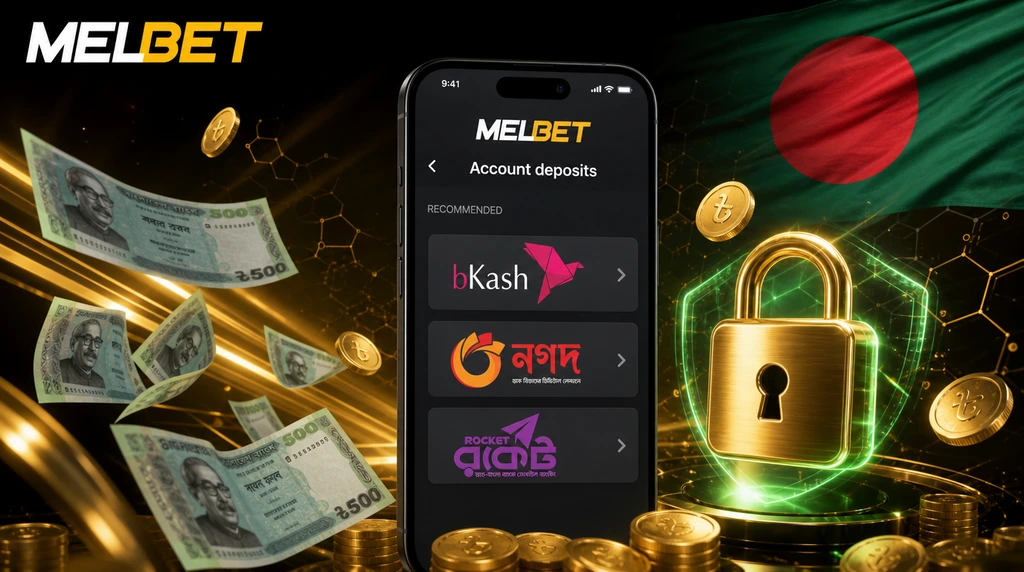
Adding or cashing out funds is where most BD players hit friction, so it pays to know the system before you send money. The Melbet payment methods available in Bangladesh cover bKash, Nagad, Rocket, Upay, bank cards, bank transfer and selected crypto. Everything settles in BDT inside the cashier, so there is no currency conversion before a deposit or withdrawal.
This page walks through how deposits and withdrawals work locally — minimum amounts, withdrawal limits, processing times, fees, KYC checks, and the fixes for the problems that come up most often: stuck bKash deposits, pending payouts, wrong TrxID entries and wallet-name mismatches. The same cashier and methods work inside the Melbet app, where deposits via bKash and Nagad are usually fastest. Limits and times change as providers update their rules, so confirm the current figures inside the live cashier before sending anything.
Quick Facts: Melbet Payments Bangladesh
| Payment detail | Current information |
|---|---|
| Main local methods | bKash, Nagad, Rocket, Upay |
| Currency | BDT |
| Lowest deposit channel | From 100 BDT (Nagad Quick) |
| Standard bKash / Nagad / Rocket deposit | From 300 BDT |
| Typical MFS minimum withdrawal | 500 BDT |
| Usual MFS withdrawal time | Up to 5 hours |
| Platform fee | None |
| Main withdrawal requirement | Verified account and matching wallet name |
| Biggest payment risk | Using a wallet registered in someone else’s name |
For day-to-day play, bKash, Nagad and Rocket stay the most practical options: they work locally, settle in BDT, and need no international bank card.
Melbet Payment Methods Bangladesh — Full Comparison Table
Some local methods run as more than one channel inside the cashier — for example, the standard bKash channel and the higher-cap bKash Merchant channel, or Nagad and the no-TrxID Nagad Quick channel. The exact menu can shift by account, traffic level and provider availability, so treat the live cashier as the final word on limits.
| Method | Min Deposit | Max Deposit | Min Withdrawal | Max Withdrawal | Withdrawal Time | Fee |
|---|---|---|---|---|---|---|
| Nagad Quick | 100 BDT | 30,000 BDT | 500 BDT | 20,000 BDT | Up to 5 hrs | None |
| bKash | 300 BDT | 20,000 BDT | 500 BDT | 20,000 BDT | Up to 5 hrs | None |
| bKash Merchant | 200 BDT | 25,000 BDT | 500 BDT | 20,000 BDT | Up to 5 hrs | None |
| Nagad | 300 BDT | 20,000 BDT | 500 BDT | 20,000 BDT | Up to 5 hrs | None |
| Rocket | 300 BDT | 20,000 BDT | 500 BDT | 20,000 BDT | Up to 5 hrs | None |
| Upay | 200 BDT | 20,000 BDT | 500 BDT | 20,000 BDT | Up to 5 hrs | None |
| Nexus Pay | 200 BDT | 25,000 BDT | 200 BDT | 25,000 BDT | Up to 5 hrs | None |
| CellFin | 300 BDT | 20,000 BDT | 300 BDT | 20,000 BDT | Up to 48 hrs | None |
| mCash | 300 BDT | 20,000 BDT | 300 BDT | 20,000 BDT | Up to 48 hrs | None |
| Bank Transfer | 200 BDT | Varies | 1,000 BDT | Varies | 1–5 days | None |
| Visa / Mastercard | Varies | Varies | Varies | Varies | 1–5 days | None |
| Cryptocurrency | Set in cashier | No fixed limit | Set in cashier | No fixed limit | Network speed | None |
Card and crypto limits are not fixed on the page because they change by issuer and network — confirm the exact figure inside the live cashier. Crypto transfers can still carry blockchain network fees, which come from the chain, not from Melbet. One thing to weigh on bonuses: crypto deposits qualify for the sports welcome bonus, but the casino package is not available on cryptocurrency accounts. If you plan to claim an offer, read the current terms on the Melbet promo code page before picking your first method.
Melbet bKash Deposit Bangladesh
For most BD players, the cashier opens straight to bKash, and it remains the smoothest way to top up. A standard Melbet bKash deposit starts from 300 BDT and lands in the balance within roughly 1–15 minutes once the payment is confirmed correctly. If you want the lowest possible entry, the Nagad Quick channel accepts from 100 BDT.
The rule that matters more than any other: follow the exact instructions shown in the cashier for that session. A saved contact, an old number or a previous agent number will not work — the payment details are issued per transaction.
How to deposit with bKash:
- Log in to your account.
- Open the cashier and select Deposit.
- Choose bKash from the method list.
- Enter the amount.
- Copy the agent number and instructions shown on the deposit screen.
- In your bKash app, send the exact amount using the required payment type.
- Copy the TrxID from the bKash confirmation message.
- Return to the cashier and paste the TrxID in the confirmation field.
- Submit and wait for the balance to update.
A deposit can stall if the amount is off, the TrxID is missing, the wrong transaction type is used, or the money goes to a number that is no longer active for that session.
Melbet Nagad Deposit Bangladesh
When bKash is slow or briefly unavailable, Nagad is the obvious fallback, and the flow is nearly identical. A standard Melbet Nagad deposit starts from 300 BDT, while the Nagad Quick channel accepts from 100 BDT and skips the manual TrxID step. Either way, send the amount exactly as the cashier instructs.
How to deposit with Nagad:
- Open the cashier and select Nagad (or Nagad Quick).
- Enter the amount.
- Follow the on-screen payment instructions.
- Send the exact amount from your Nagad wallet.
- Copy the Nagad transaction ID (standard channel).
- Paste it into the confirmation field.
- Confirm the deposit.
Nothing showing after 15 minutes usually points to one of two things: a mistyped transaction ID, or money sent to a number other than the one displayed during that session.
Melbet Rocket Deposit Bangladesh
Players who already run Rocket for everyday transfers can fund the same way, and it makes a reliable third option when bKash or Nagad channels lag. The minimum Rocket deposit sits around 300 BDT, with withdrawals from 500 BDT. The same discipline applies: send the exact amount, use the current details from the cashier, and enter the correct reference.
How to Withdraw Money from Melbet Bangladesh
Cashing out is where disputes cluster, so three conditions decide whether a payout clears cleanly:
- the account must be verified;
- the withdrawal method should match the deposit method;
- the wallet or bank account must be in your own name.
For bKash, Nagad and Rocket, the minimum withdrawal is 500 BDT, and most clear within 5 hours. Delays creep in during verification checks, bonus reviews, provider queues, or high-traffic cricket nights.
Withdrawal step by step:
- Finish account verification before your first cashout.
- Open the cashier and choose Withdraw Funds.
- Select the same method you deposited with where possible.
- Enter the amount.
- Add your wallet number or bank details.
- Confirm the request.
- Wait for the status to update.
Resist the urge to cancel and resubmit the same request repeatedly — multiple attempts slow the review and trigger extra checks.
Melbet Withdrawal Time Bangladesh
How long a payout takes comes down to the method, your account status and the provider queue.
| Method | Usual withdrawal time |
|---|---|
| bKash | Up to 5 hours |
| Nagad | Up to 5 hours |
| Rocket | Up to 5 hours |
| Upay | Up to 5 hours |
| CellFin | Up to 48 hours |
| mCash | Up to 48 hours |
| Bank Transfer | 1–5 days |
| Visa / Mastercard | 1–5 days |
| Cryptocurrency | Depends on network confirmation |
Still pending after 24 hours on an MFS payout? The usual culprits are incomplete KYC, a name mismatch, an active bonus, a provider delay, or manual review.
Melbet Minimum Deposit Bangladesh
Entry thresholds vary by channel. The absolute floor is 100 BDT through Nagad Quick, while the standard bKash, Nagad and Rocket channels start at 300 BDT.
| Method / channel | Minimum deposit |
|---|---|
| Nagad Quick | 100 BDT |
| bKash Merchant | 200 BDT |
| Upay | 200 BDT |
| Nexus Pay | 200 BDT |
| Bank Transfer | 200 BDT |
| bKash | 300 BDT |
| Nagad | 300 BDT |
| Rocket | 300 BDT |
| Cryptocurrency | Set in cashier |
In practice, the lowest entry is 100 BDT via Nagad Quick, but the standard MFS channels that carry most of the traffic — bKash, Nagad and Rocket — begin at 300 BDT. If your first deposit is tied to a bonus, check the promo terms first — some methods or amounts can be accepted for payment yet still fail to qualify for the offer.
Melbet Deposit and Withdrawal Fees
Melbet charges no fee on either side. Your payment provider, however, may charge its own:
- bKash may apply a standard transaction or Cash Out fee;
- Nagad may add a wallet fee;
- Rocket may apply provider-side charges;
- banks may charge transfer fees;
- crypto transfers may include network gas fees.
These sit outside Melbet entirely, so check the final figure in your wallet app before confirming.
Important Rules Before Using Melbet Payments
- use a wallet registered in your own name;
- make sure your account name matches your NID;
- complete verification before large deposits;
- send the exact amount shown in the cashier;
- use only the payment number shown for the current transaction;
- enter the correct TrxID or reference number;
- never use a friend’s or family member’s wallet;
- don’t send a second deposit while the first is still pending;
- check bonus status before requesting a withdrawal.
Stick to these and you avoid the large majority of payment problems in Bangladesh.
Common Melbet Deposit Problems and Fixes
Deposit Sent but Not Credited
Most missing deposits trace back to details that don’t match the cashier request. Run the checklist: exact amount, correct payment number, accurate TrxID, required transaction type, and a payment sent while the method was still active. If all of that checks out and the balance is still empty after 15 minutes, contact support with the method, amount, TrxID, time of payment, sender wallet number and a screenshot. Do not resend the same amount first — a second transfer creates two unmatched payments and stretches the review.
Wrong TrxID Entered
A mistyped TrxID leaves the payment pending, because the system can’t link your transfer to the deposit request. Reach support quickly with the correct TrxID from your bKash, Nagad or Rocket message, and avoid opening a fresh deposit for the same payment unless asked.
Money Sent to the Wrong Number
Sending to an old or saved agent number usually blocks the automatic match — a common trap when players reuse a number from a previous session. Always use the number displayed in the current cashier session. If the money already went to the wrong place, send proof of payment to support; recovery is possible but slower and not always automatic.
Common Melbet Withdrawal Problems and Fixes
Withdrawal Pending Too Long
A stuck payout is normally waiting on verification, provider processing or manual review. Work through it: Is KYC approved? Does the wallet name match the account? Are you withdrawing to the deposit method? Is a bonus still active? Is the amount within the method limit? If everything lines up and it’s still pending past the normal window, contact support with the withdrawal request ID.
Withdrawal Blocked by an Active Bonus
An unwagered or uncancelled bonus can hold a payout — common right after a welcome offer. Check your bonus balance and wagering progress before requesting a withdrawal. If you’d rather not finish the terms, you may need to cancel the bonus first, which can strip the remaining bonus funds, so read the rules before confirming.
Withdrawal Frozen — Wrong Wallet Name
Paying in from a wallet registered to someone else is the most serious mistake here. The deposit may go through, but the withdrawal can freeze later when the system checks ownership — typical with family wallets, friend wallets, shared bKash accounts, a different NID name, or business and agent wallets. The safe rule is simple: your own wallet, under the same name as your account and NID.
KYC Rejected — How to Fix It
Verification fails most often on photo quality or a name mismatch: a blurry or glare-covered NID, cut-off corners, an expired document, a different spelling in the profile, a missing middle name, or a wallet owner who isn’t you. Re-upload clear photos and align every personal detail before resubmitting.
Best Payment Method for Melbet Bangladesh
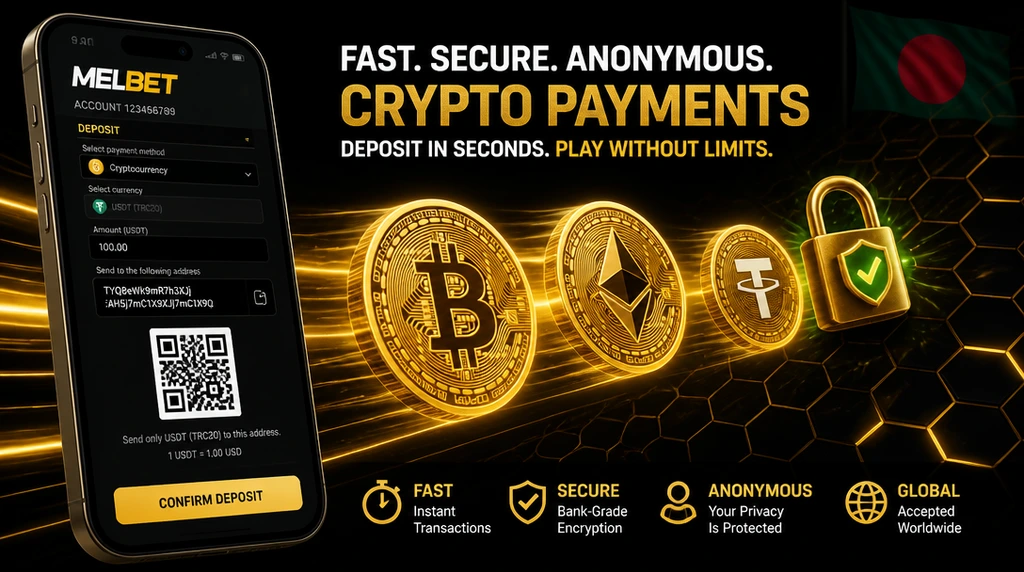
bKash is the easiest entry point for most BD players simply because it’s the most widely used. Nagad mirrors it closely as an alternative, and Rocket holds up well as a backup when the other channels stall.
| Goal | Best option |
|---|---|
| Fast local deposit | bKash or Nagad |
| Simple withdrawal | Same method used for deposit |
| Lower entry deposit | Nagad Quick or Upay |
| Larger withdrawal | Card or bank transfer |
| Crypto balance | Cryptocurrency |
| Lowest risk | Own-name MFS wallet with verified KYC |
Don’t pick a method for its headline limit. Pick the one that matches your account name, your wallet ownership and how you plan to withdraw.
Melbet Payments Bangladesh — FAQ
The money has left your bKash wallet but hasn’t credited your balance yet — it’s temporarily unmatched, not lost. Do not open a second deposit for the same payment.
Send support the following: bKash TrxID, exact amount, transfer time and your wallet number. Manual tracing takes longer than an automatic deposit — usually a few hours. Keep the bKash confirmation message until the balance appears.
Usually not. The system may require you to withdraw through the same deposit method — depositing with bKash and cashing out to Nagad can trigger a manual review.
If your original method is unavailable at payout time, contact support before requesting the withdrawal rather than switching on your own.
Ownership checks compare the payment wallet against your verified NID and profile. If the wallet name doesn’t match, the payout freezes for anti-fraud review — even if the deposit cleared earlier.
Only ever fund and withdraw with your own bKash, Nagad or Rocket wallet.
MFS withdrawals run up to around 20,000–25,000 BDT per transaction depending on the channel: bKash and Nagad up to 20,000–25,000 BDT, Rocket up to 20,000 BDT.
To move more in a day, split the amount across separate requests — each is processed independently. For large single payouts, cards and bank transfer support higher caps but take 1–5 business days instead of the few hours typical for MFS.
Crypto deposits are supported — USDT, Bitcoin, Ethereum and other coins — with no Melbet fee (on-chain gas still applies). The exact minimum is set in the cashier and varies by coin and network.
On bonuses, crypto qualifies for the sports welcome bonus, but the casino package is not available on crypto accounts. If you want the casino offer, fund with a local MFS method like bKash, Nagad or Rocket, or a bank card. Full terms are on the promo code page.
The final figure can be reduced by:
- Provider fees from your wallet or bank.
- Bonus restrictions on part of your balance.
- Cancelled or unsettled bets still pending.
- Method limits applied at payout.
Melbet itself usually charges nothing, but your wallet or bank may apply its own fee. Always confirm the net amount in your wallet app, not just the withdrawal request screen.
Last updated: 15 June 2026 · Reviewed by the bdmelbet.com editorial team. Learn more about this guide.